Running a Task
What is a Task
A task is a description of work you want to execute on compute nodes. Researchers can write tasks in any format that runs on a node (typically Python scripts) and submit them as YAML to specify resource requirements and execution instructions.
Below, we'll walk through submitting a simple task in the GUI.
Starting a Simple Task
Here is an example of a very simple task:
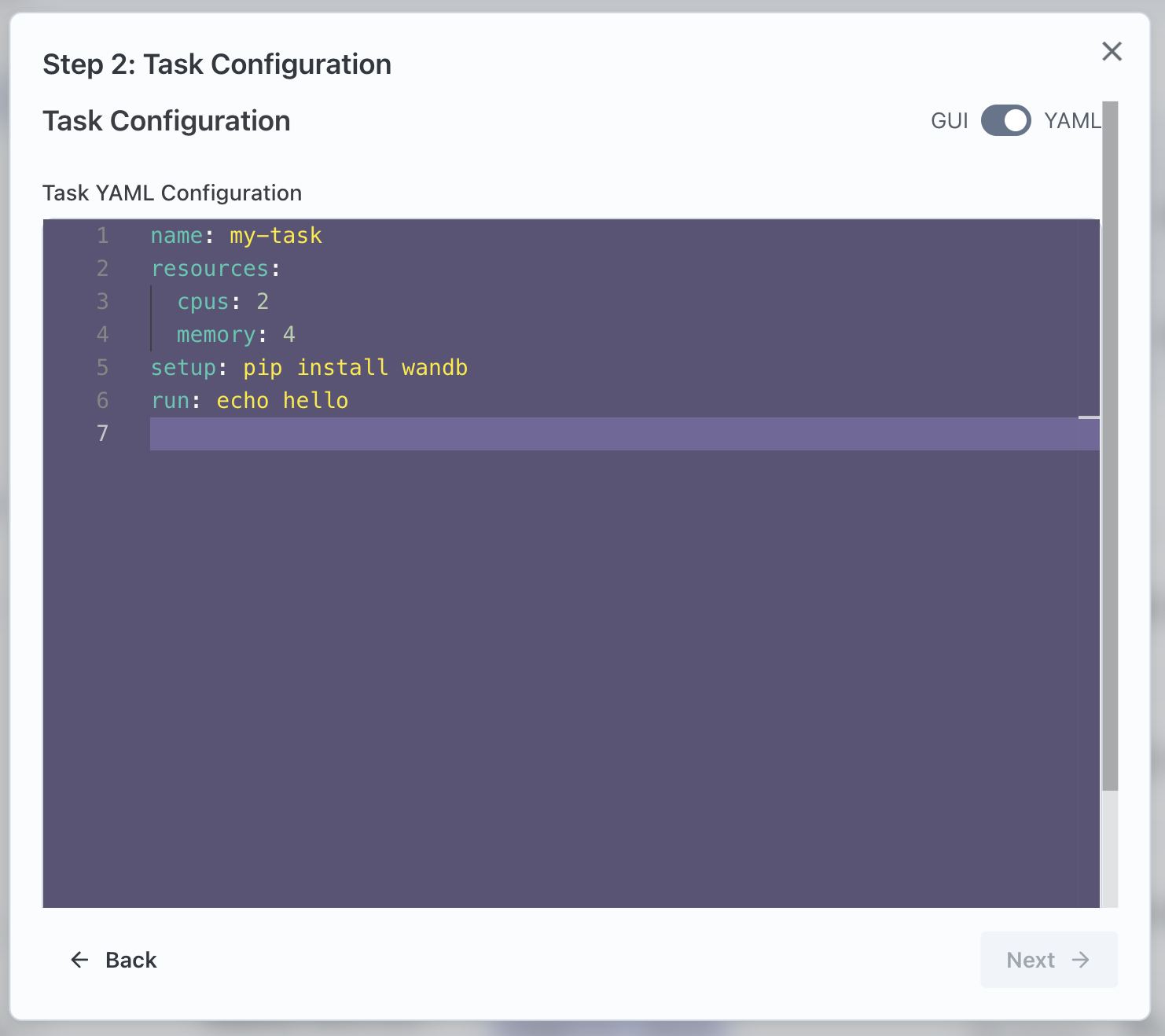
In this dummy example, the Task is defined in a YAML file that states the following things:
- The helpful name for the task is called "my-task"
- The task requires a single compute node that has 2 CPUs and 4 GB of memory
- Before the task is run, run
pip install wandbon the machine - The actual task to run is just a simple "Hello World" example where the bash echo command outputs "hello" to the console
Queuing a Job
Once you create a new Task, you will see it on your list of Tasks:
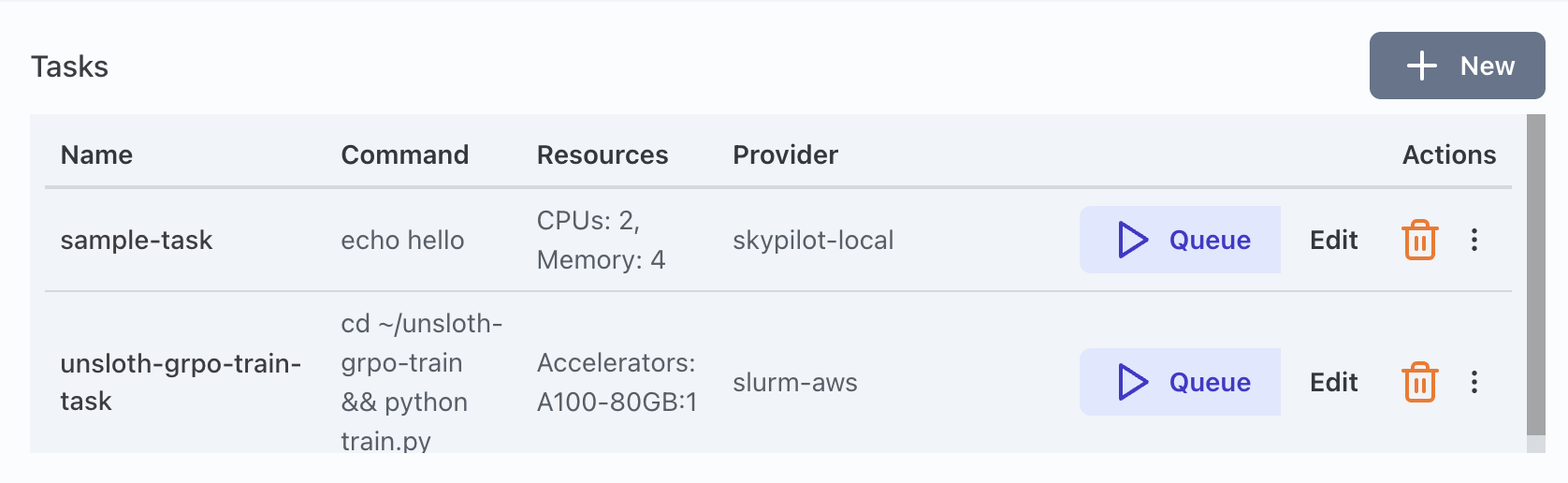
You can now press the "Queue" Button to submit it as a Job.
A more Detailed Task
Here is an example of a more useful task:
name: unsloth-grpo-train-task
resources:
  accelerators: "A100-80GB:1"
envs:
  WANDB_PROJECT: unsloth-grpo-training
  PYTHONUNBUFFERED: 1
  HF_TOKEN: ENTER YOUR HF_TOKEN HERE
setup: uv pip install trl==0.15.2 bitsandbytes==0.45.4 unsloth== 2025.12.9 transformerlab datasets jinja2
run: cd ~/unsloth-grpo-train && python train.py
git_repo: "https://github.com/transformerlab/transformerlab-examples"
git_repo_directory: unsloth-grpo-train
Many of these fields are optional. Here is a description of what each field does:
name: unsloth-grpo-train-task
Sets a useful name for the task in the GUI
resources:
  accelerators: "A100-80GB:1"
States that the task would like 1 x A100 with 80GB of VRAM. (You could also request multiple nodes and they will be provisined to work as a cluster)
envs:
  WANDB_PROJECT: unsloth-grpo-training
  PYTHONUNBUFFERED: 1
  HF_TOKEN: ENTER YOUR HF_TOKEN HERE
Will set some environment variables in the machine before the task is run
setup: uv pip install trl==0.15.2 bitsandbytes==0.45.4 unsloth== 2025.12.9 transformerlab datasets jinja2
run: cd ~/unsloth-grpo-train && python train.py
git_repo: "https://github.com/transformerlab/transformerlab-examples"
git_repo_directory: unsloth-grpo-train
These commands are the core of the task. They tell the executing node to first fetch the git repo at the path given (and here we provide an optional subdirectory into the repo). Then the setup defines the command to set up the machine, and afterwards the actual task is defined in the run field.
For a full description of all the fields you can add to the Task YAML see this link.