Why Transformer Lab for Teams
Upgrade your Research Workflow without Replacing your Infrastructure.
Your lab likely relies on Slurm to manage your compute cluster. Or your lab may be using cloud compute like services from Azure, AWS, or GCP. Or perhaps you are using a cluster that runs Kubernetes.
Regardless of which of these you use, the raw experience—managing batch scripts, configuring SSH tunnels for notebooks, and manually tracking artifacts across file systems—creates friction that slows down research.
Transformer Lab for Teams is an open-source research platform that sits on top of your existing compute infrastructure. It provides a modern interface, experiment tracking, and interactive development environments while letting your underlying schedulers and clouds do what they do best.
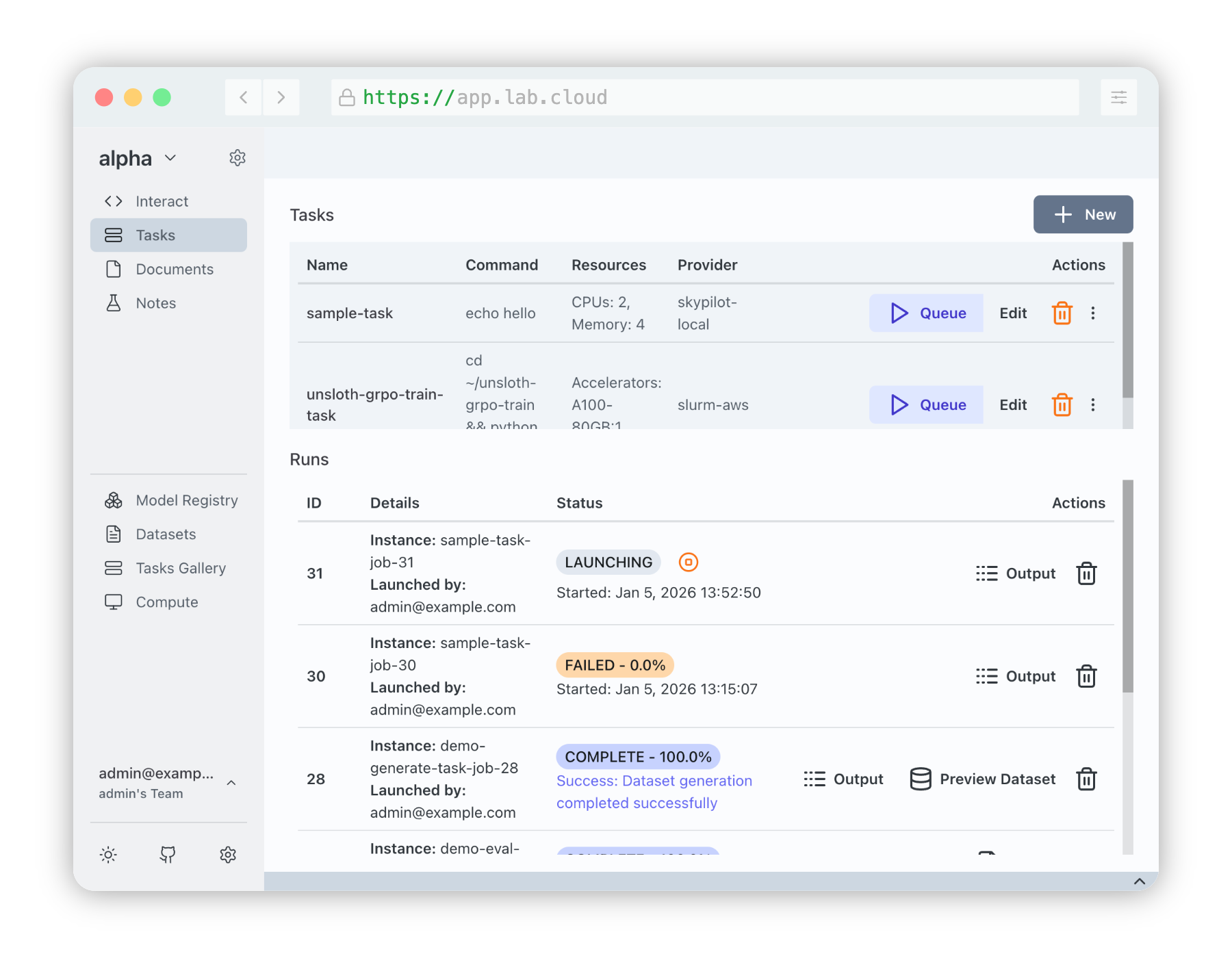
1. Zero Disruption to Infrastructure
We don't replace your orchestrator. We unify it.
The biggest concern for any Admin is infrastructure migration. Transformer Lab requires no changes to your existing node setup. We integrate with the tools you already use:
- For On-Premise Clusters (Slurm): Transformer Lab acts as a submission client. When a user launches a task in our UI, we translate that into a job submission that Slurm understands.
- For Cloud & Kubernetes (SkyPilot): If you use AWS, GCP, Azure, or Kubernetes, we utilize SkyPilot to abstract the complexity of provisioning VMs and pods.
- Hybrid Capable: You can configure multiple Compute Providers in a single workspace. This allows your lab to burst from an on-prem Slurm cluster to AWS cloud instances using the exact same interface.
2. A Better Experience for Researchers
Reduce the "infrastructure tax" your researchers pay so they can focus on the model.
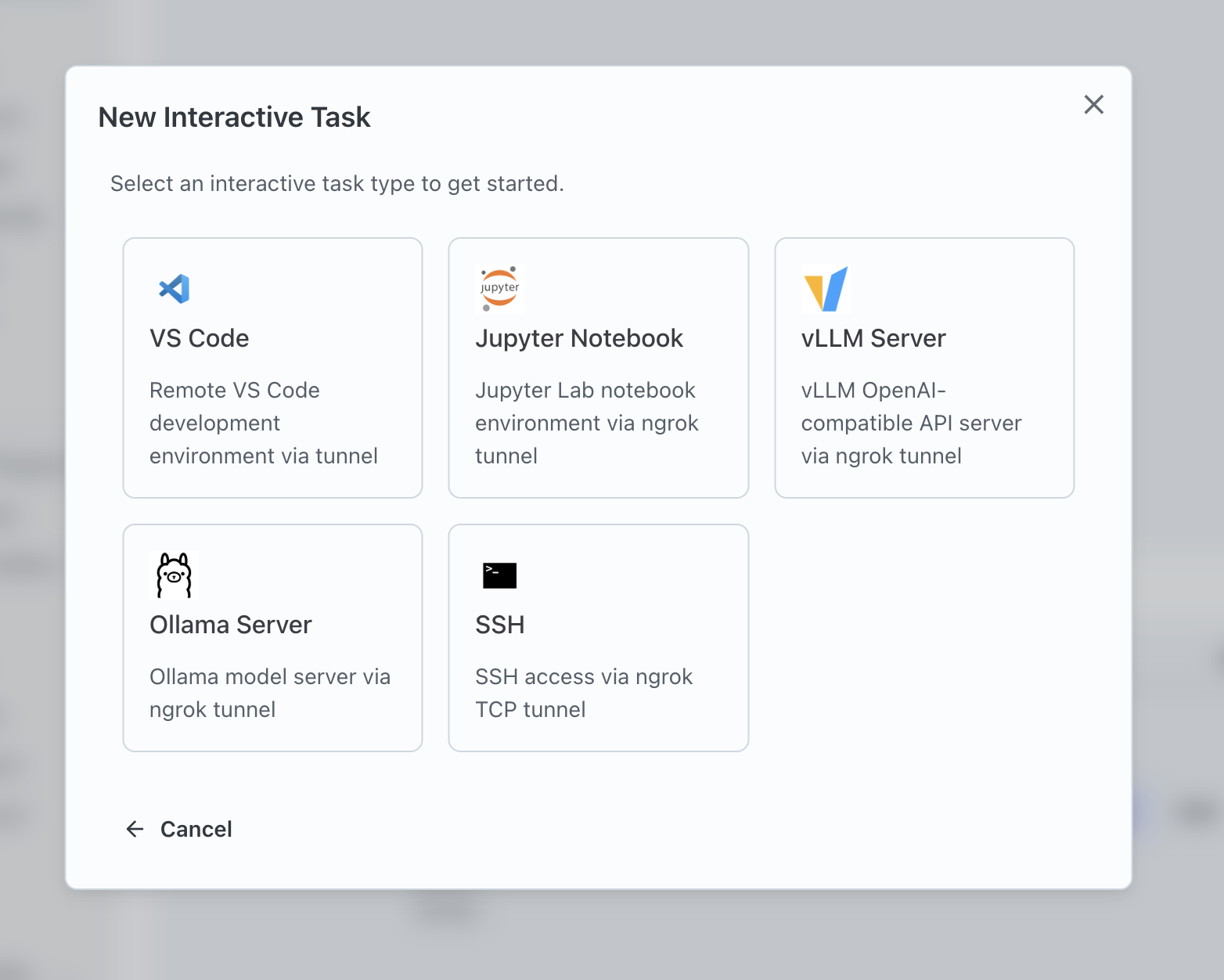
Interactive Services (No more SSH Tunneling)
Researchers often need interactive environments for exploratory work. Traditionally, this involves reserving a node, finding the IP, and setting up complex SSH tunnels.
- One-Click Jupyter & VSCode: Users can launch Jupyter Notebooks or VSCode Tunnels directly from the browser on whatever compute provider they choose.
- Managed Access: We handle the networking and tunneling securely. The user simply clicks "Connect."
- Resource Reservation: These sessions are scheduled just like any other job, ensuring fair resource allocation.
Automated Experiment Tracking
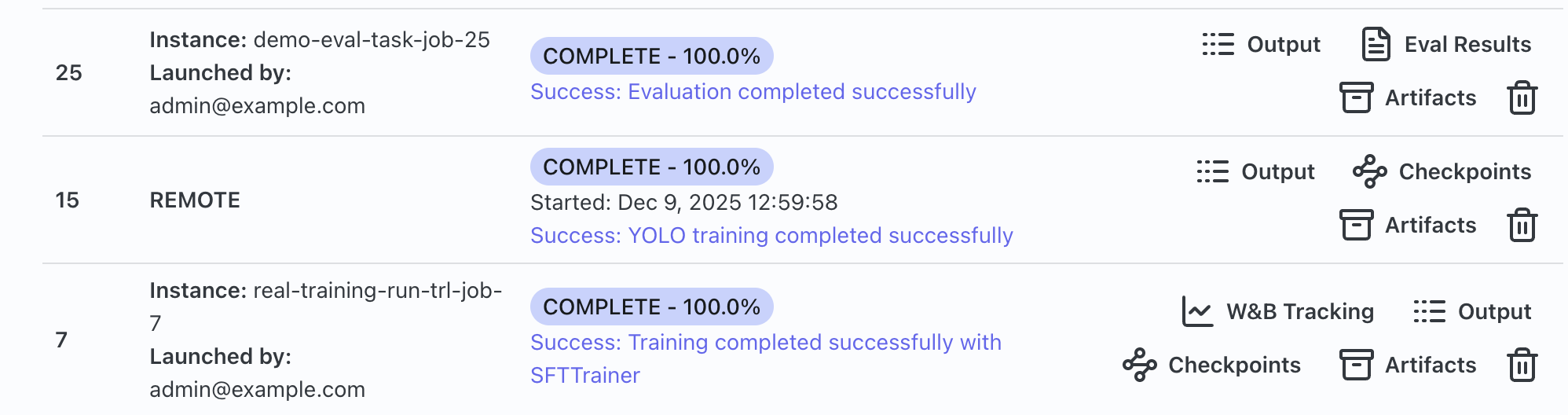
Stop losing results in slurm-*.out or scattered cloud logs.
- The Lab SDK: By adding the optional Transformer Lab Job SDK and adding
import labto scripts, users get real-time logging, progress bars, and metrics streaming back to the central dashboard. - Artifact Management: Models, datasets, and eval results are automatically versioned and stored (locally or via S3/GCP buckets), accessible via the UI even after the compute node has been terminated.
Hyperparameter Sweeps Made Easy
Writing bash loops to submit varying jobs is error-prone.
- YAML-Based Sweeps: Define a list of parameters (e.g.,
learning_rate: [1e-5, 3e-5]) in the Task YAML. - Auto-Scheduling: Transformer Lab automatically generates and queues the Cartesian product of jobs, tracking the metrics for each run to identify the best configuration.
3. A Better Experience for Admins
Gain visibility into your cluster usage and standardize how work is submitted.
- Centralized Visibility: See exactly which users are running which jobs, what resources they are consuming, and the health of those jobs in a modern dashboard—whether those jobs are on a local cluster or a cloud VM.
- Standardized Environments: By defining Tasks via YAML with
setupscript definitions or Docker containers, you reduce "it works on my machine" support tickets. - Multi-User Management: Built-in team management, authentication, and user workspaces ensure that research remains collaborative but secure.
4. Efficiency and Cost Savings
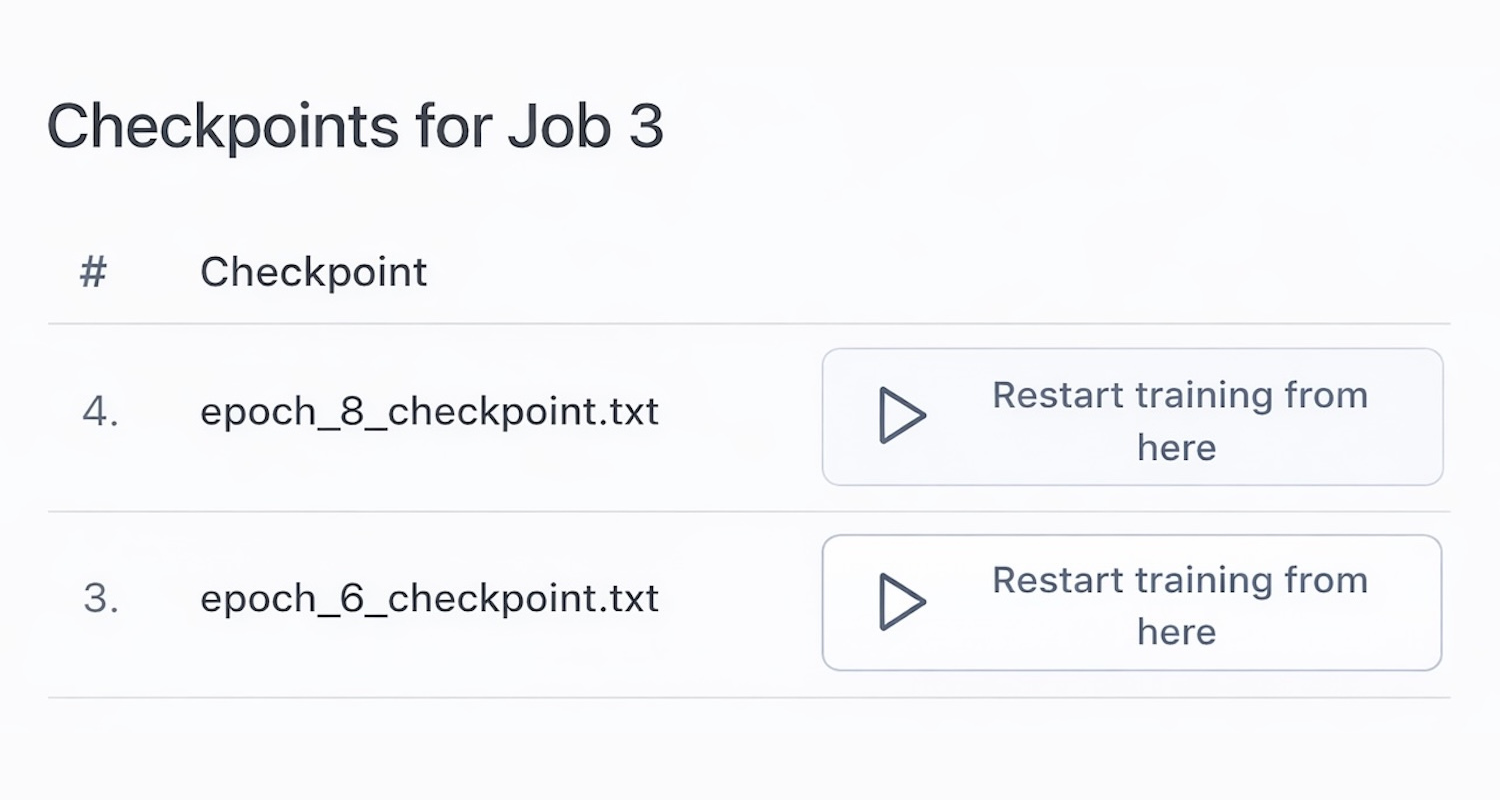
Checkpoints and Auto-Recovery
Long training runs on unstable nodes (or Spot instances in the cloud) are risky. Transformer Lab simplifies resilience.
- Auto-Resume: The platform tracks checkpoints. If a job crashes or is preempted by a higher-priority user (or a Spot instance reclamation), it can automatically restart from the last saved checkpoint without human intervention.
- Object Storage Integration: Transformer Lab can offload models and artifacts to global object storage (S3/GCP) immediately. This prevents data loss if local node storage is ephemeral or if the cloud instance is terminated.
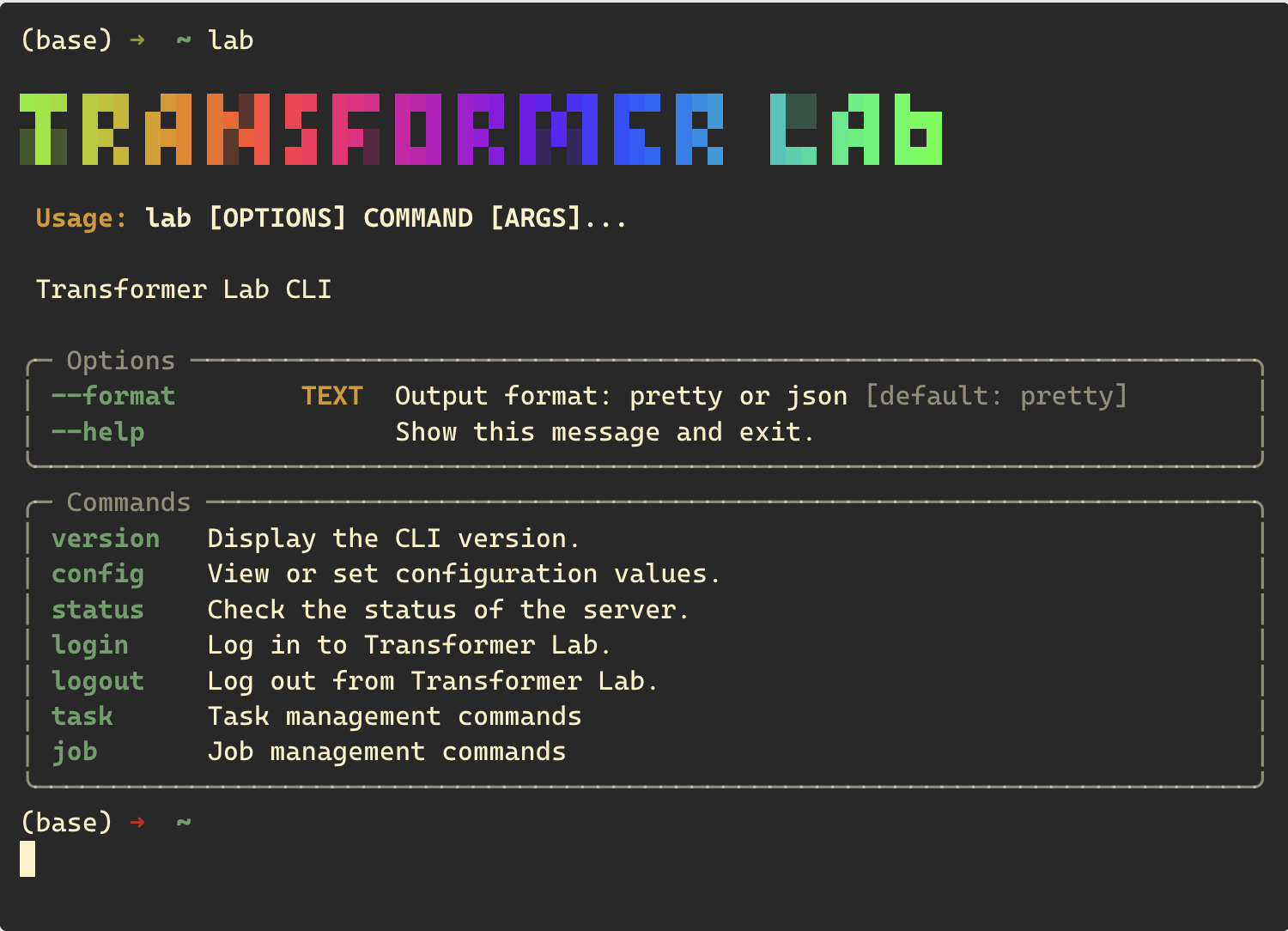
CLI for Power Users
Admins and power users don't have to leave the terminal. The lab CLI allows you to submit tasks, monitor jobs, and view logs without ever opening a browser, bridging the gap between CLI speed and Platform visibility.
How it Fits
Transformer Lab acts as the Control Plane.
- User submits a Task (via GUI or CLI).
- Transformer Lab API processes the request and requirements.
- Compute Provider translates the request:
- If Slurm: It sends
sbatchcommands to your login node. - If SkyPilot: It provisions VMs on AWS/GCP/Azure or Pods on Kubernetes.
- If Slurm: It sends
- Transformer Lab monitors the job execution, streams logs back to the user, and manages artifact retrieval.
Next Steps
You can install the Transformer Lab controller on a single CPU node that has access to your compute provider (e.g., SSH access to your Slurm login node, or Cloud credentials for SkyPilot). We're happy to work with you directly to help install Transformer Lab in your environment. If you want to get started on your own, see our install instructions -->