Viewing Jobs and Artifacts
What is a Job
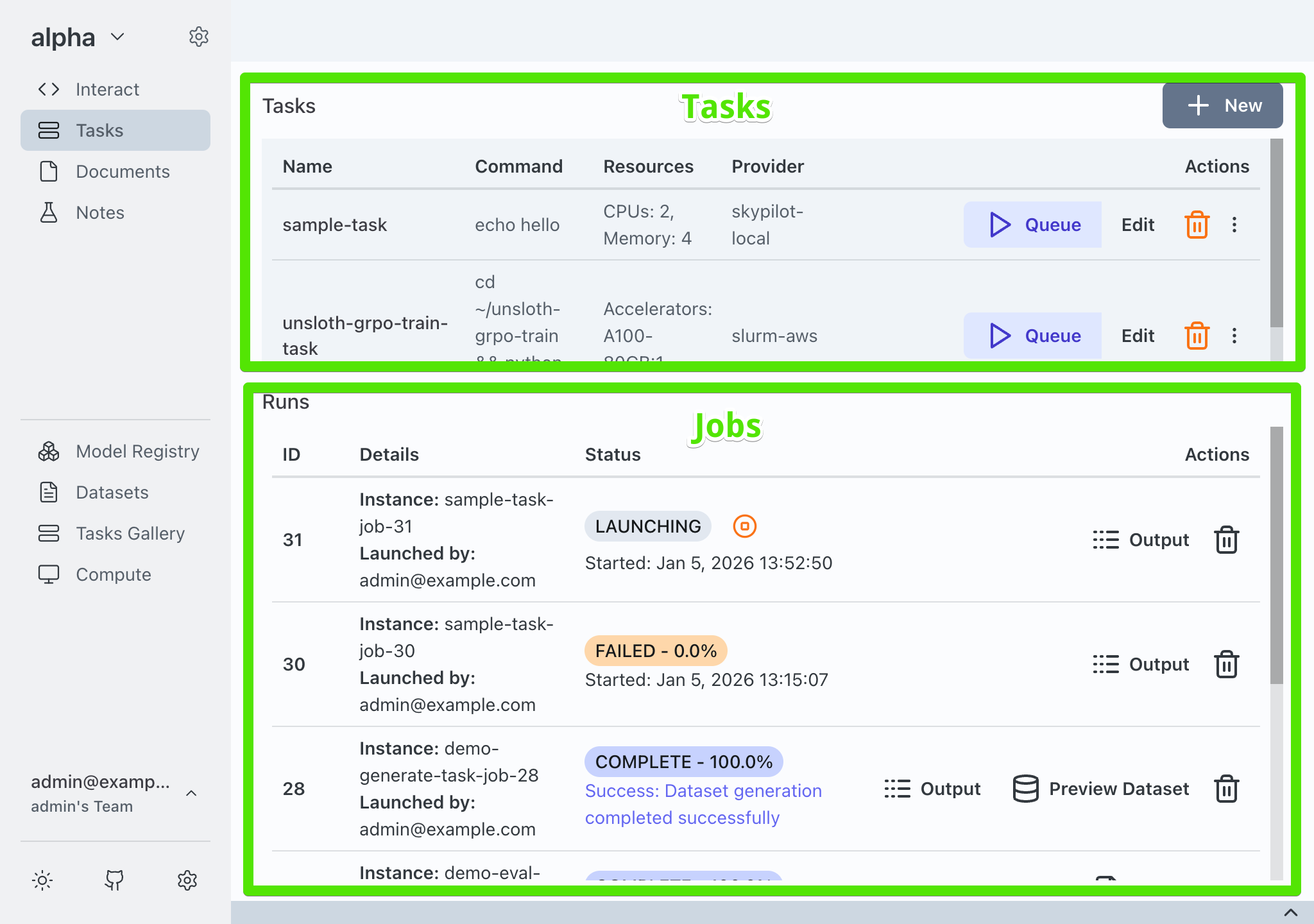
The Tasks pane in Transformer Lab is divided in two sections. On the top you can view a list of Tasks which contain instructions (like a template) for one or more nodes to execute. On the bottom is a list of Jobs.
A Job is a task that has been or scheduled to be executed.
Interacting With Jobs
Once a Job is running, you can click on the stop button to cancel it and terminate the associated instances.
Viewing Job Artifacts
Once a Job goes from the state of Launching to In Progress to Complete you can view the Job's artifacts. Artifacts are outputs in the form of files generated by a job, for example if you fine tune a new model, the new model's safetensors will be saved as an artifact. If you perform an eval, you can save the results of the eval as an artifact.
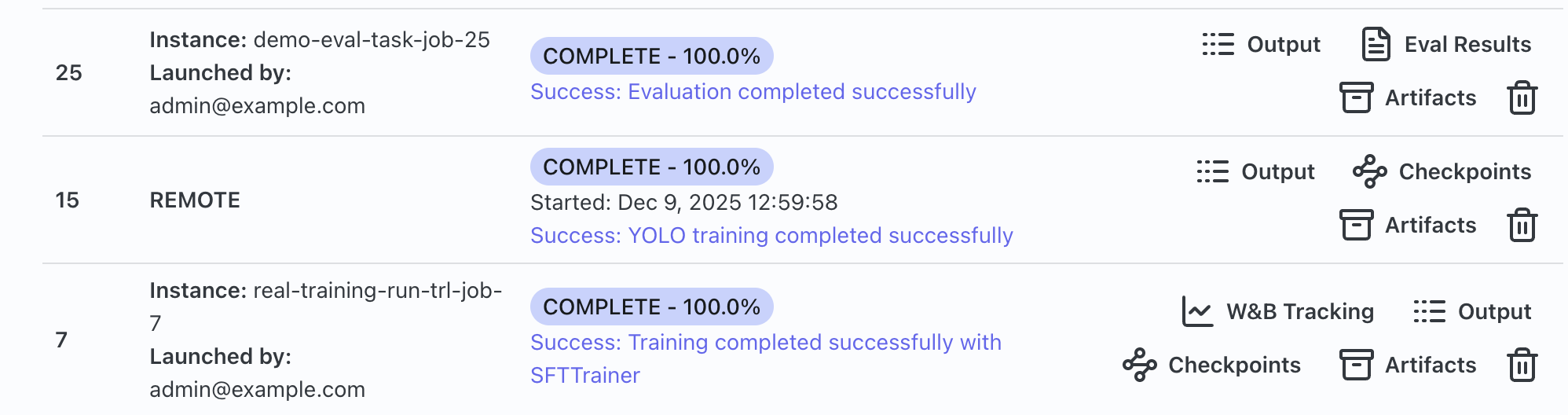
Click on the Artifacts button to see all artifacts generated by the job. You can also see specific artifacts like evals or dataset previews by clicking on those buttons.